
01
Receipt and invoice scanning
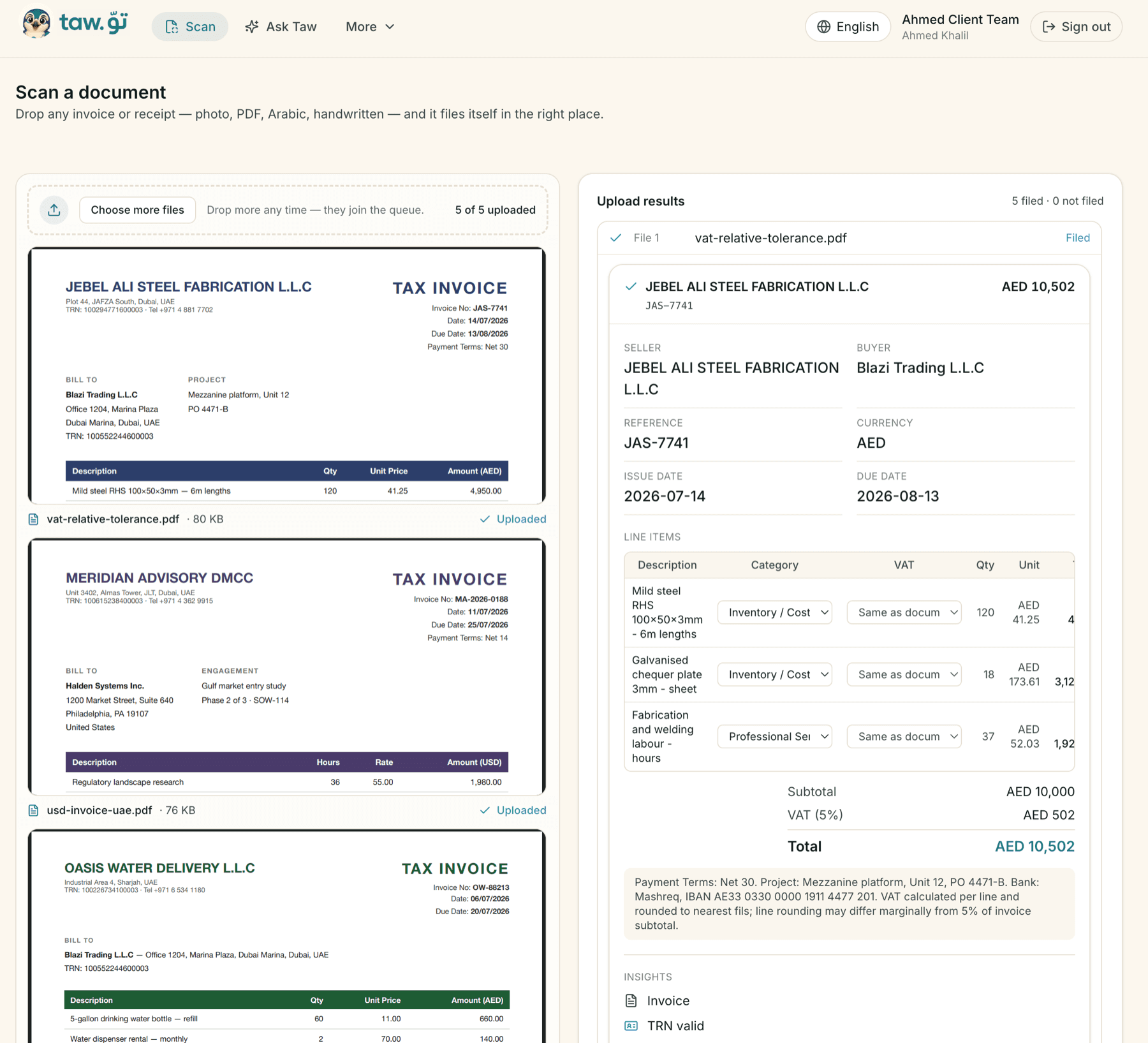
Drop any invoice or receipt — photo, PDF, Arabic or handwritten — or forward it by email, or send it on WhatsApp. Taw reads the seller, the TRN, the VAT and the line items and files it as structured data.
Explore Taw features for businesses and accounting companies.
Drop any invoice or receipt — photo, PDF, Arabic or handwritten — or forward it by email, or send it on WhatsApp. Taw reads the seller, the TRN, the VAT and the line items and files it as structured data.
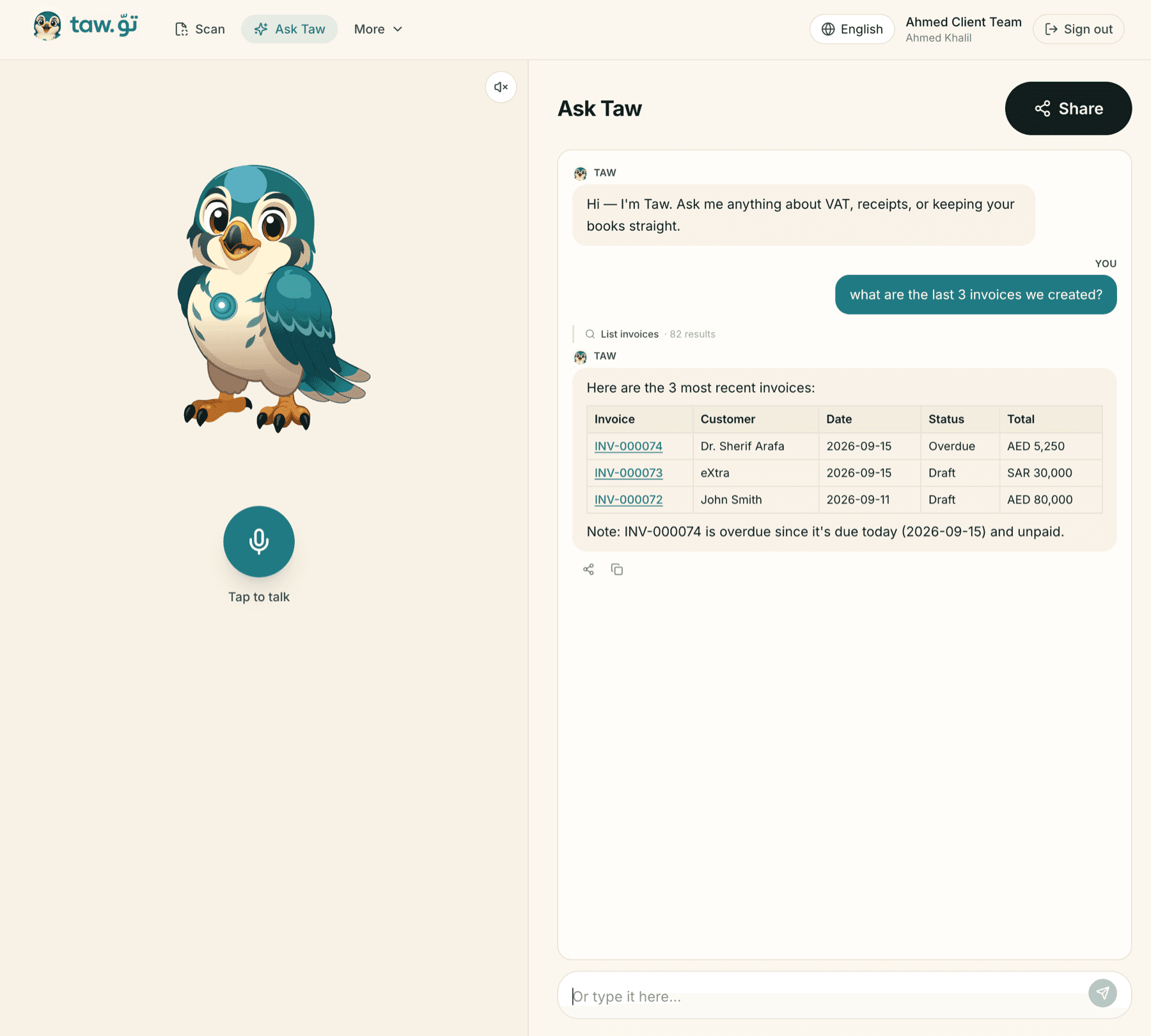
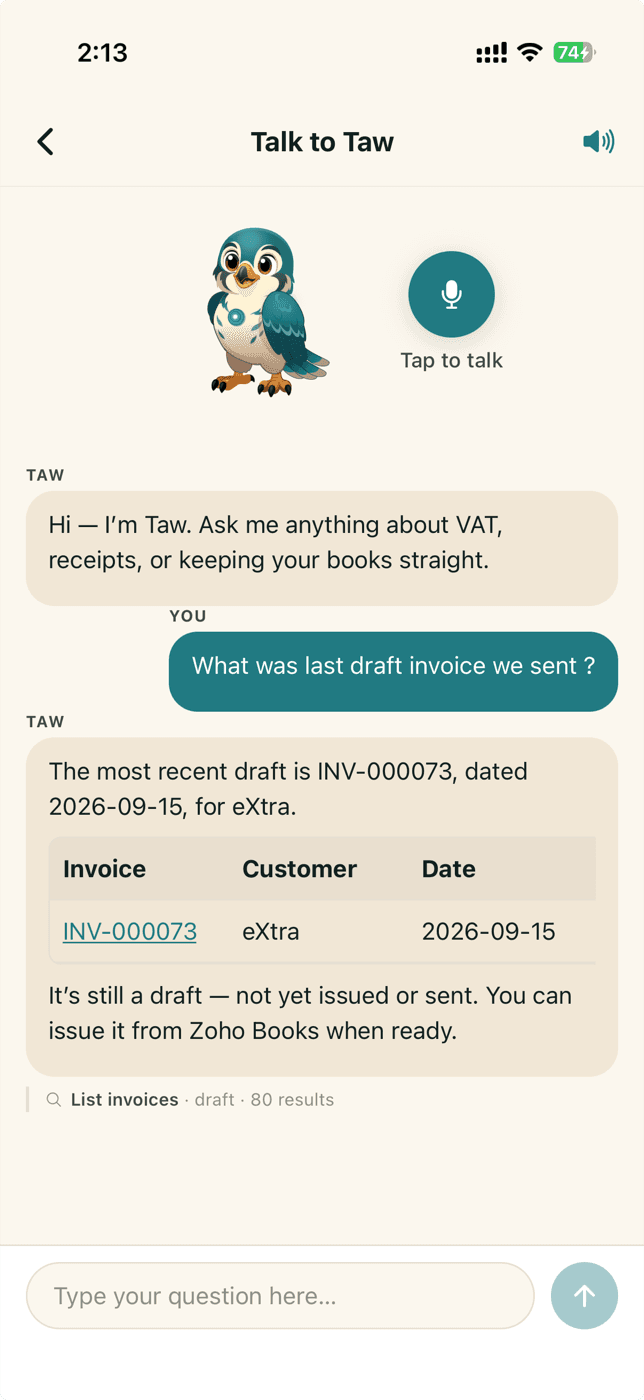
Ask a question in plain words and get the answer out of your accounting software — what came in, what is owed, where the VAT stands. An invoice request, a report request or a meeting goes to your accountant instead.
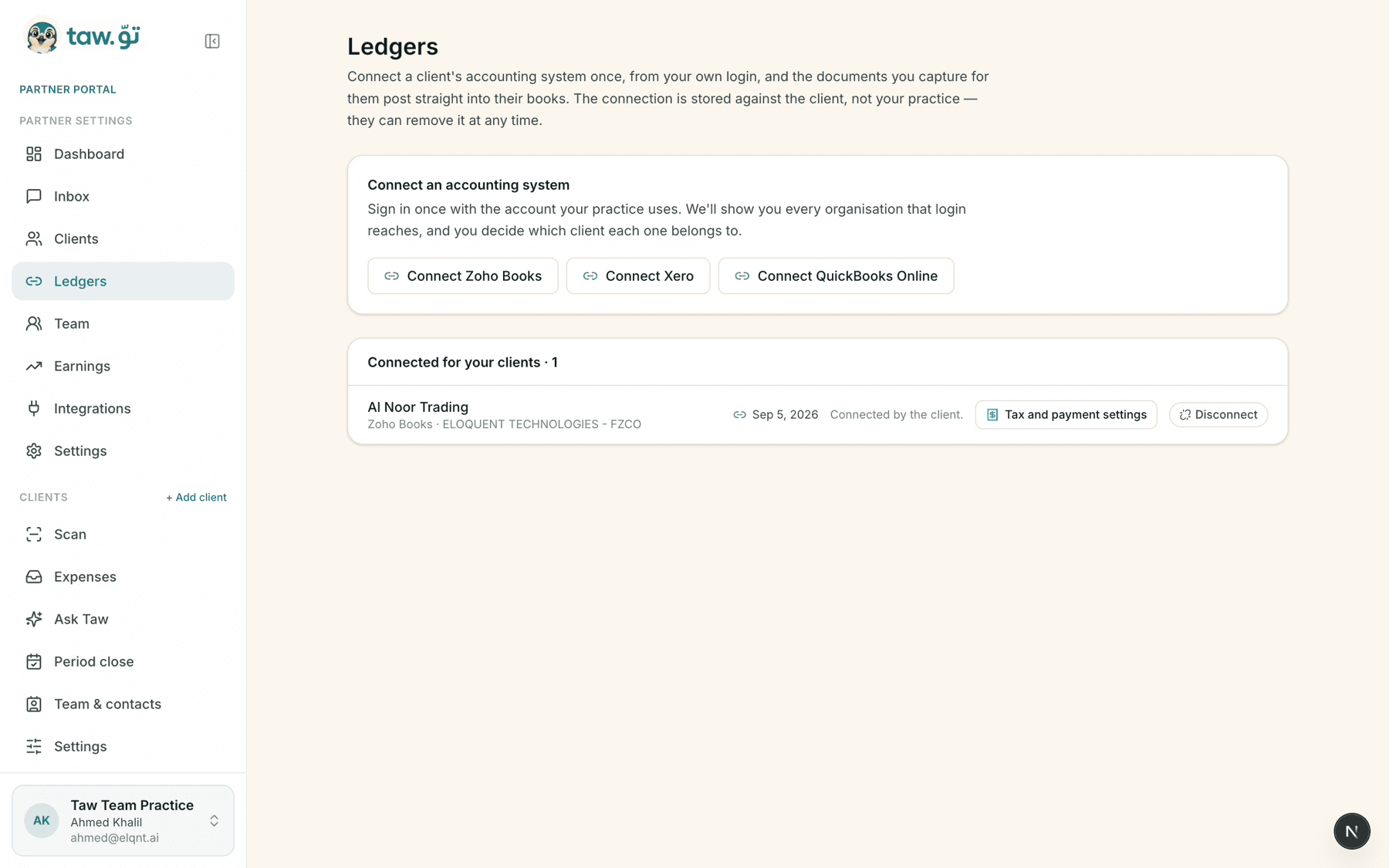
Sign in once with Zoho Books, Xero or QuickBooks Online, as many times as the firm needs. Taw shows every organisation that login reaches and you assign each client to one of them, so a push always lands in the right book.
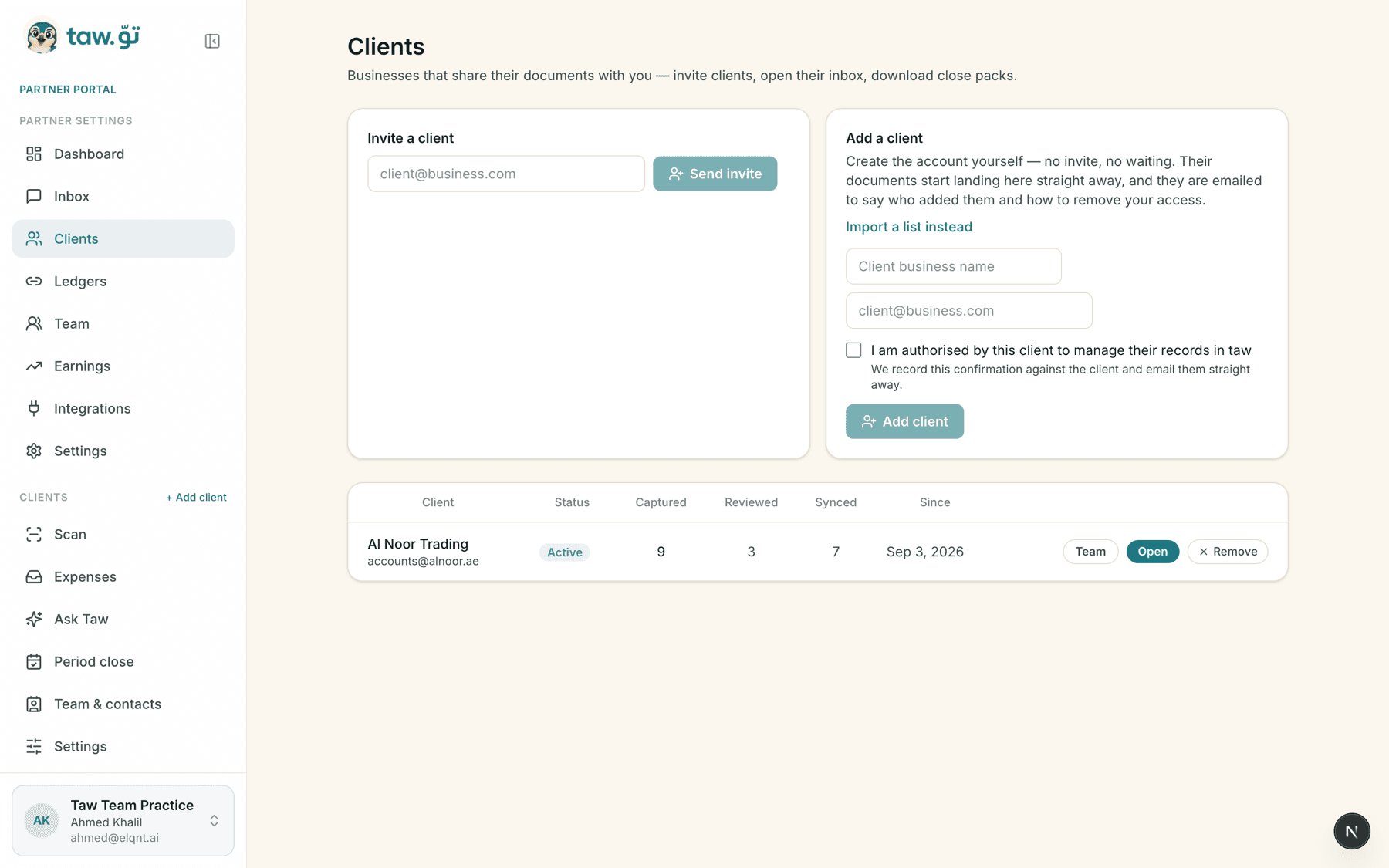
Invite a client by email, or create the account yourself and import a list. Each client's own people are added on their side, and everyone on that side reaches the firm on the same thread.
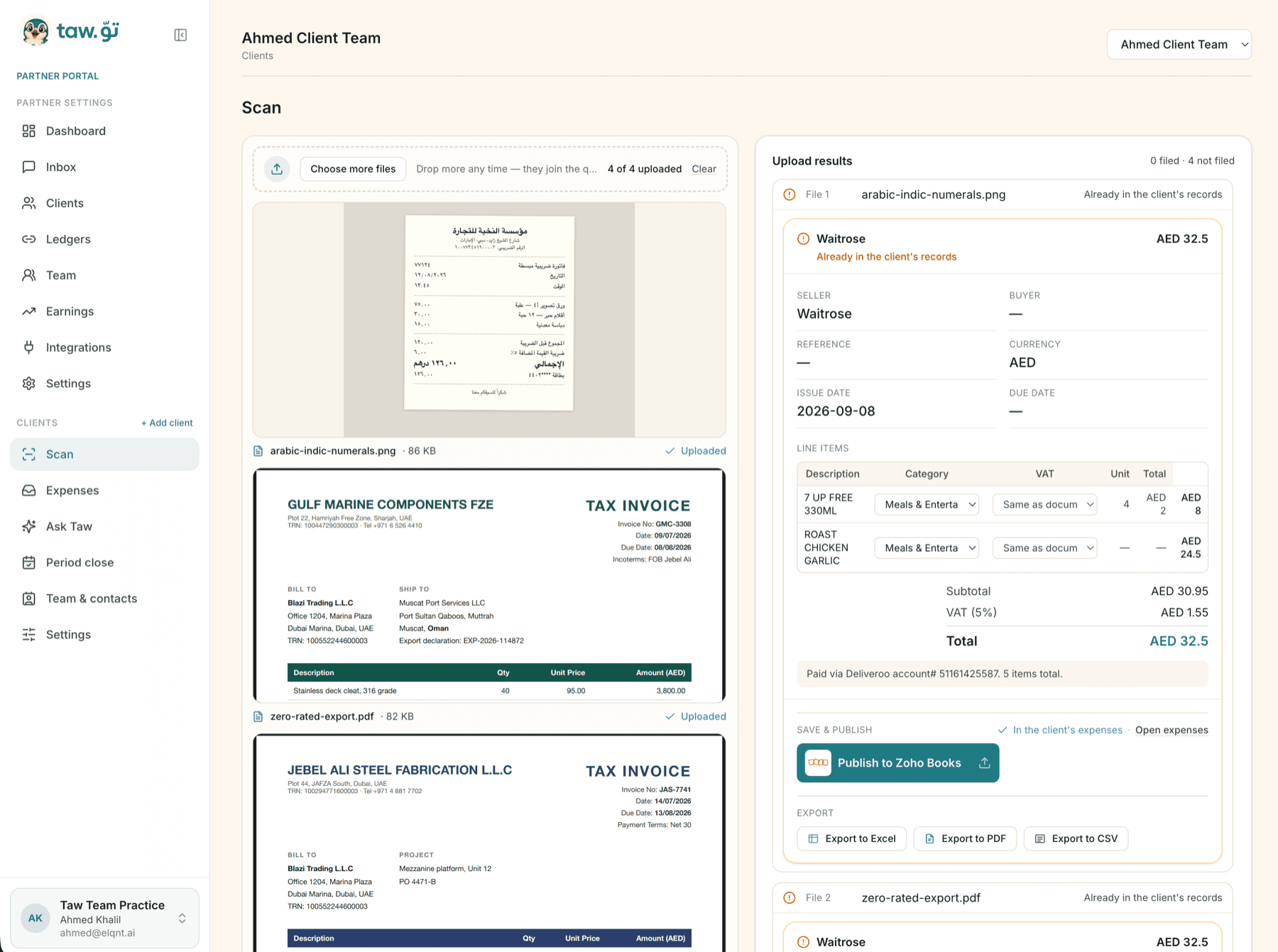
Drop a whole folder in at once — photos, PDFs, Arabic, handwritten. Taw reads each one into seller, TRN, line items, category and VAT, tells you which are already in the client's records, and publishes the rest straight to their accounting system. Export to Excel, PDF or CSV from the same screen.
Receive and review what the customer submits. Every document a client is responsible for lands in one list — with the channel it came in on, whether it has been reviewed, and which book it was filed to.
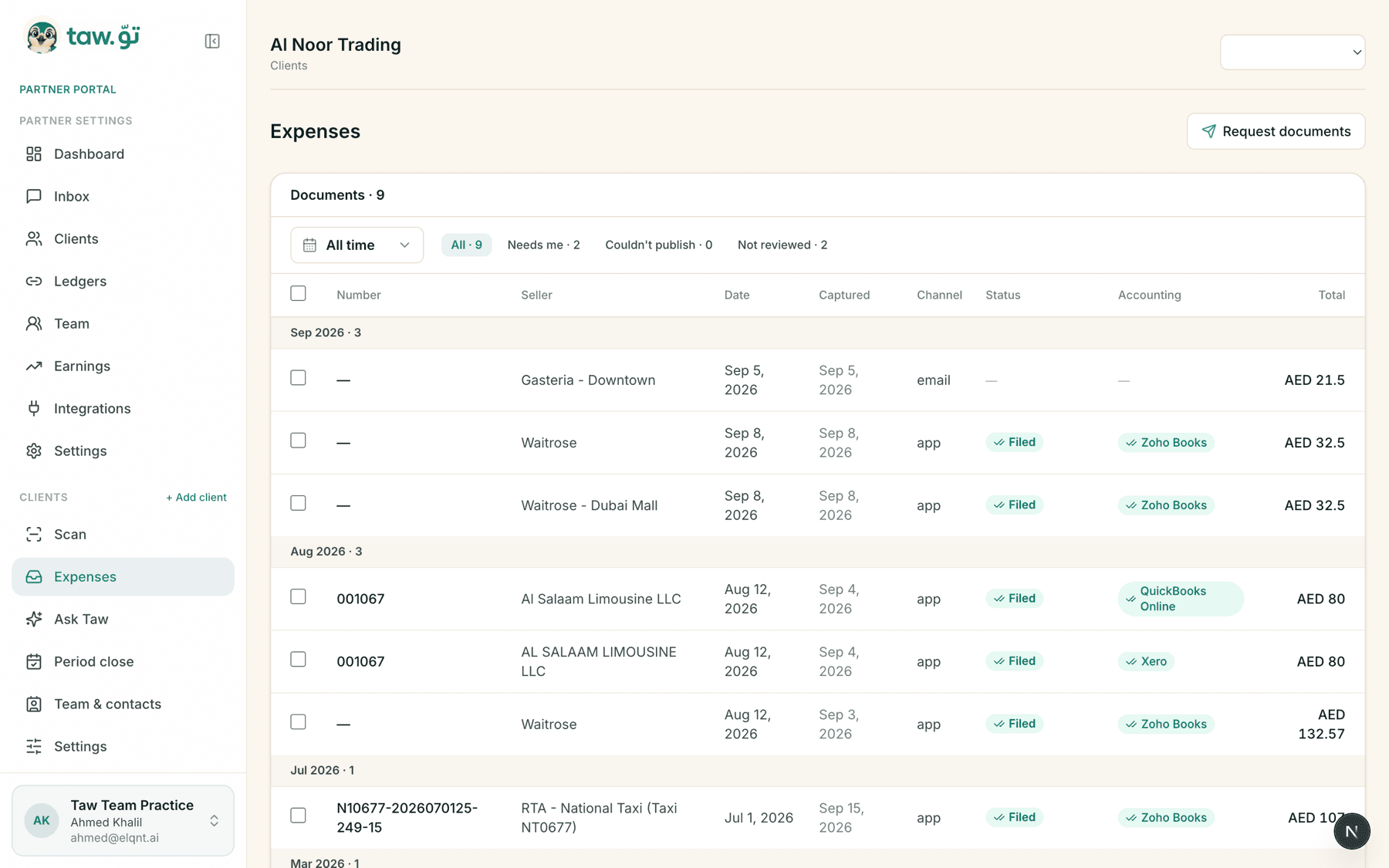
One queue for everything a client sends the firm, whichever way they send it.
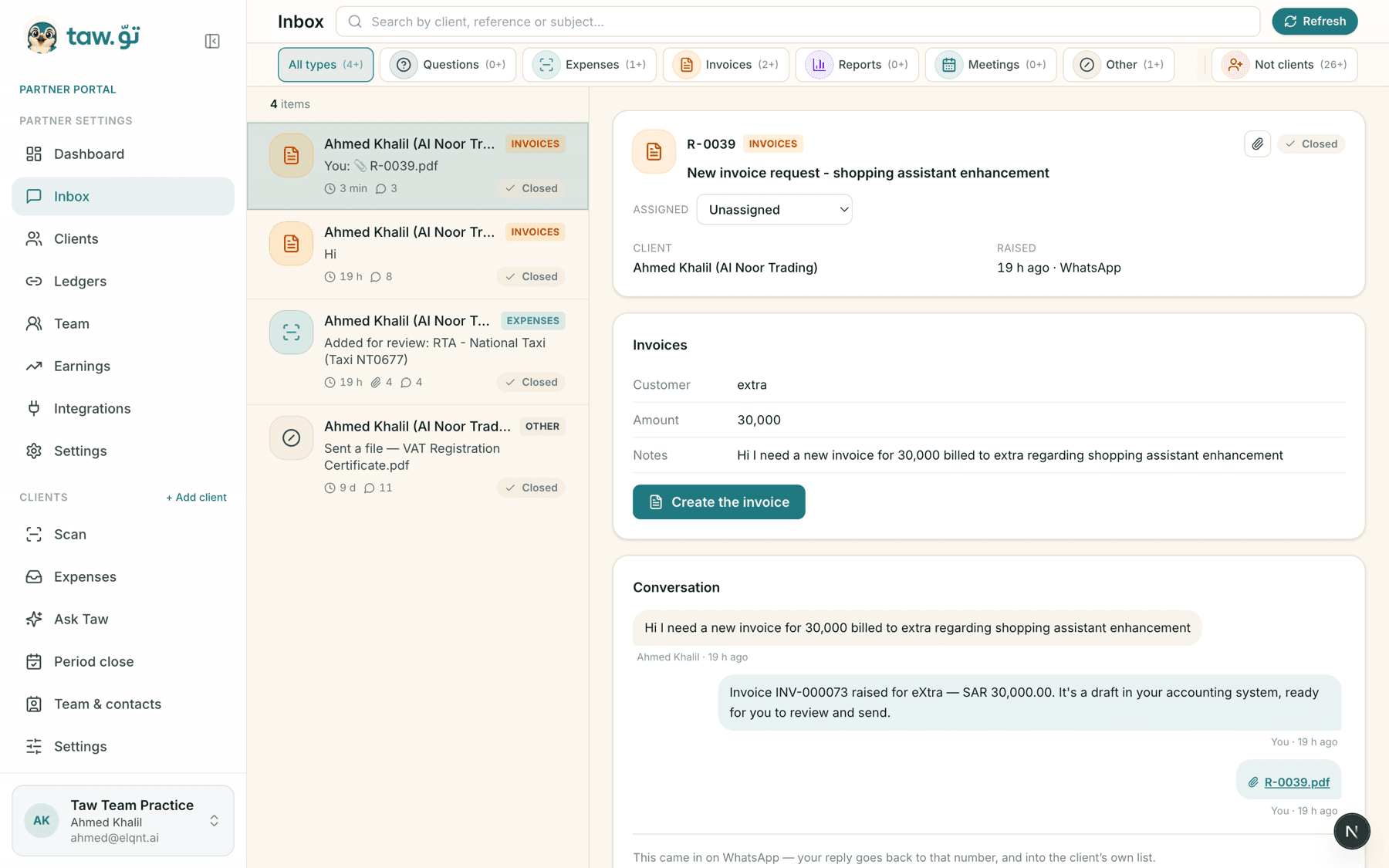
Select a client and ask. The answer comes back from that client's own books — what came in, what is owed, where the VAT stands — with no export and no second login.
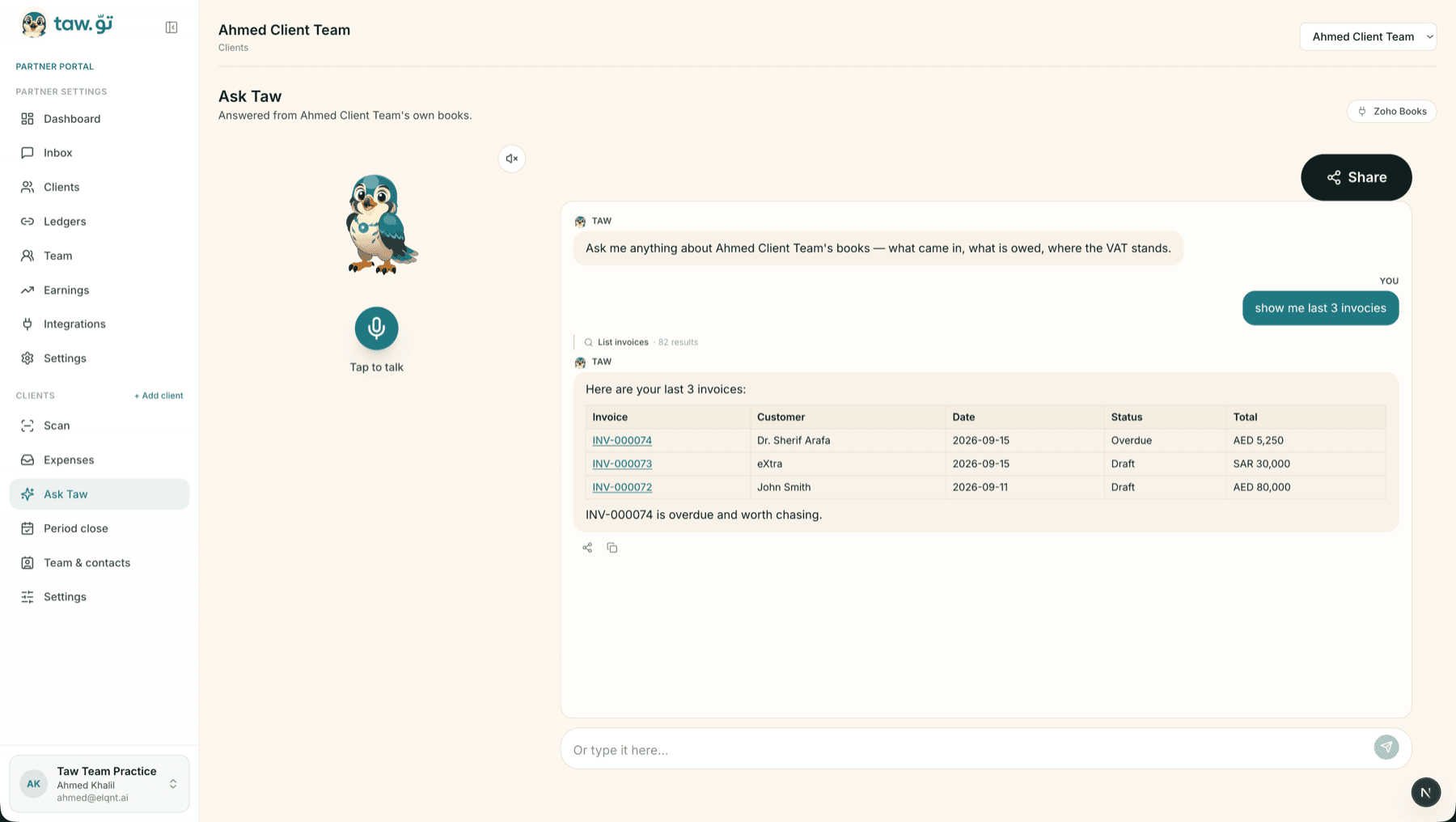
Invite the firm's own people and give each of them a role: owner, manager or reviewer. Everyone shares one queue, and access to a client's documents still comes from that client's own link.
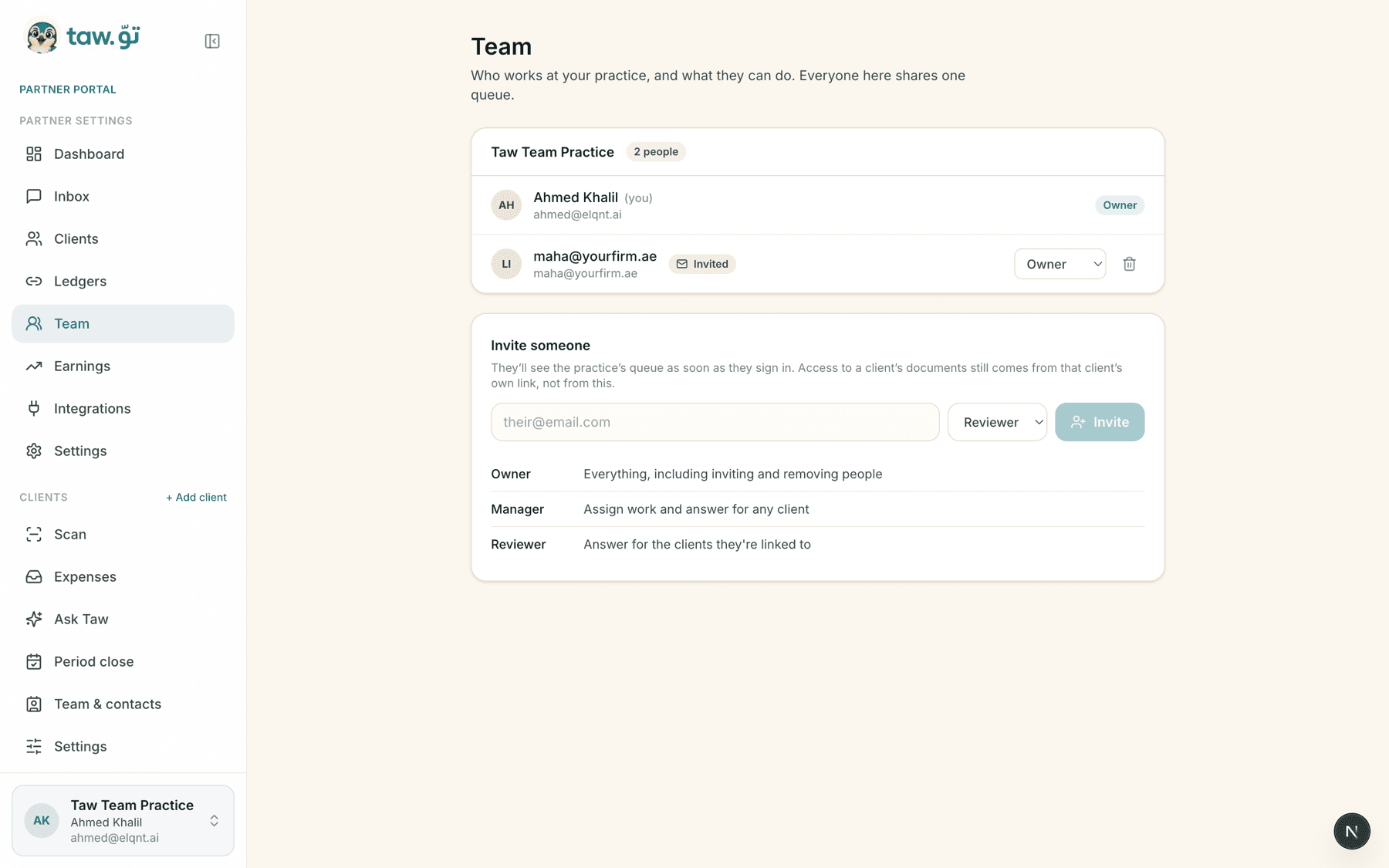
Client requests routed to the team member who should have them — by client, and by topic. Today a request arrives unassigned and the firm picks the assignee in the inbox.
The work completed: what came in, what was cleared, who cleared it, and what is still waiting.
The same two things, recorded end to end in the real product.
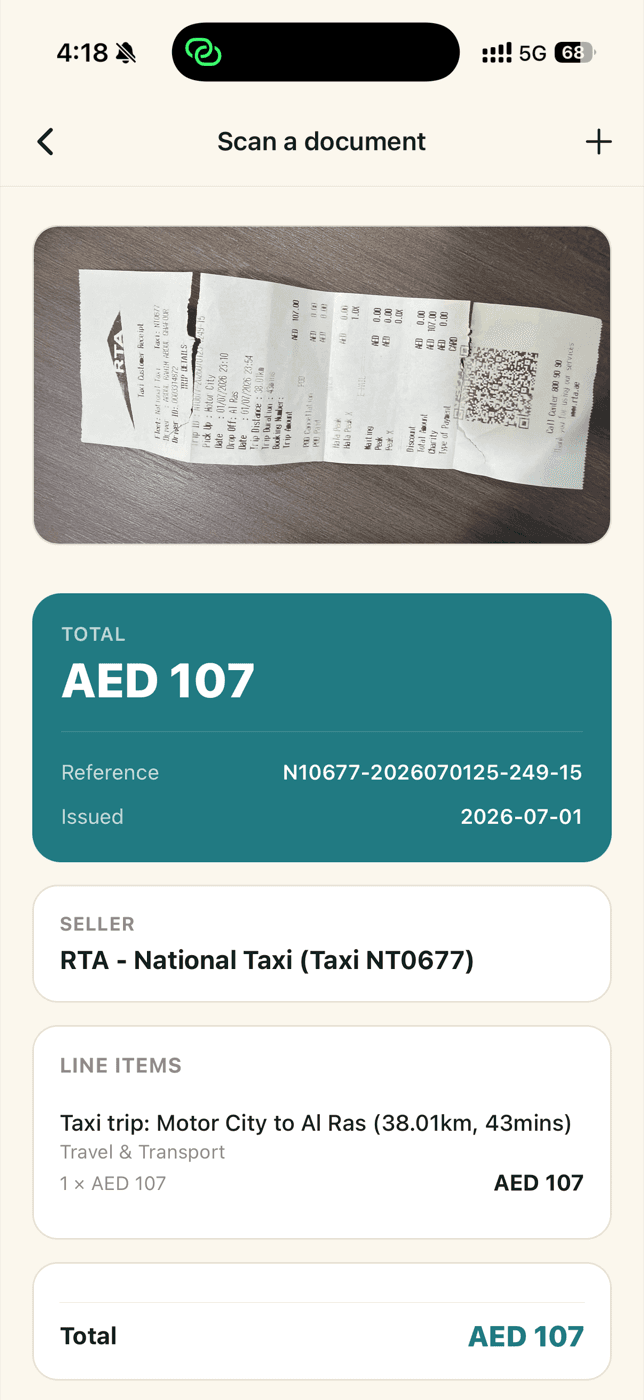
A receipt is photographed on the phone. Taw reads it into exact fields — seller, TRN, VAT, line items and totals — the business submits it, and the accountant reviews it and publishes it to the accounting software.
Everything about a client in one place — emailed invoices, WhatsApp messages, invoice requests, questions and expense reviews. Each one arrives already sorted, with the reply and the action on the same screen.
Earn 20% of every subscription payment your referred clients make — lifetime. No cap, no cliff.
Clients are told you may earn a referral commission when you invite them. Compensation reverses on refunds; no earnings are guaranteed.